Copyright © 2026

Granblue Fantasy’s Steam Version is Now Live

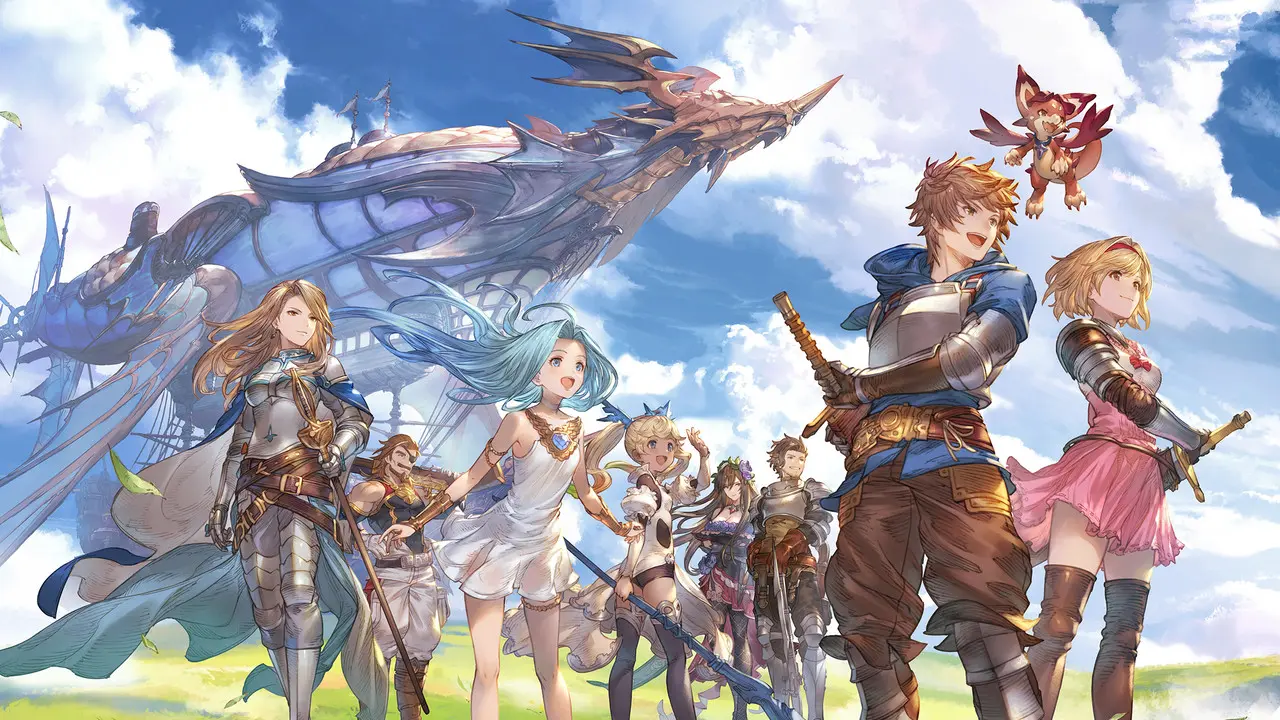
Granblue Fantasy‘s Steam version has been launched and can be played for free by players around the world.
First launching in 2014, Granblue Fantasy is a JRPG mobile game available in Japan through various platforms such as Mobage, DMM, and many others.
Although the game is launched in the Japanese market only, it can be played with an official English translation. Players outside Japan could also access the game through various means.
With this Steam version, Granblue Fantasy is now officially available for players around the world. There is no need to play with a proxy or VPN, as the game is natively supported outside of Japan.
How to play Granblue Fantasy’s Steam Version
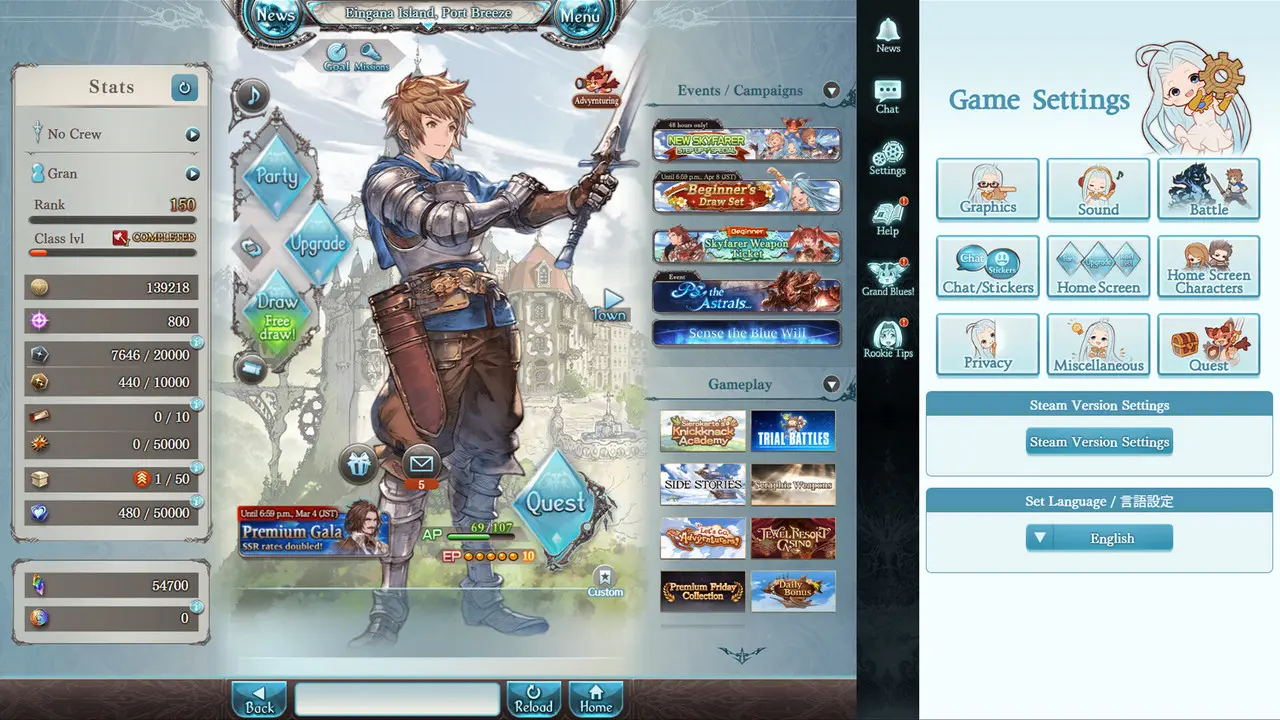
To play Granblue Fantasy on Steam, players can simply search for Granblue Fantasy in the store and click on the Play Game or Add to Library button.
Just like Umamusume: Pretty Derby, the game is optimized for PC users, with a 16:9 aspect ratio. The added screen area is utilized to implement various quality-of-life updates.
On the right-hand side, you will see a game setting screen where you can customize aspects of the game such as graphics, sound, home screen, and many others. There are also dedicated settings for the Steam client of the game.
During battle, the game setting screen will turn into a chat window where you can coordinate attacks with your crew. This feature is very useful during a raid, especially on the regular Unite and Fight event (guild war).
The expanded main game window is also enriched with various windows to display your account stats, ongoing events and campaigns, as well as many shortcuts to game features. It will also change depending on the context of the game screen.
First thing you need to know before playing
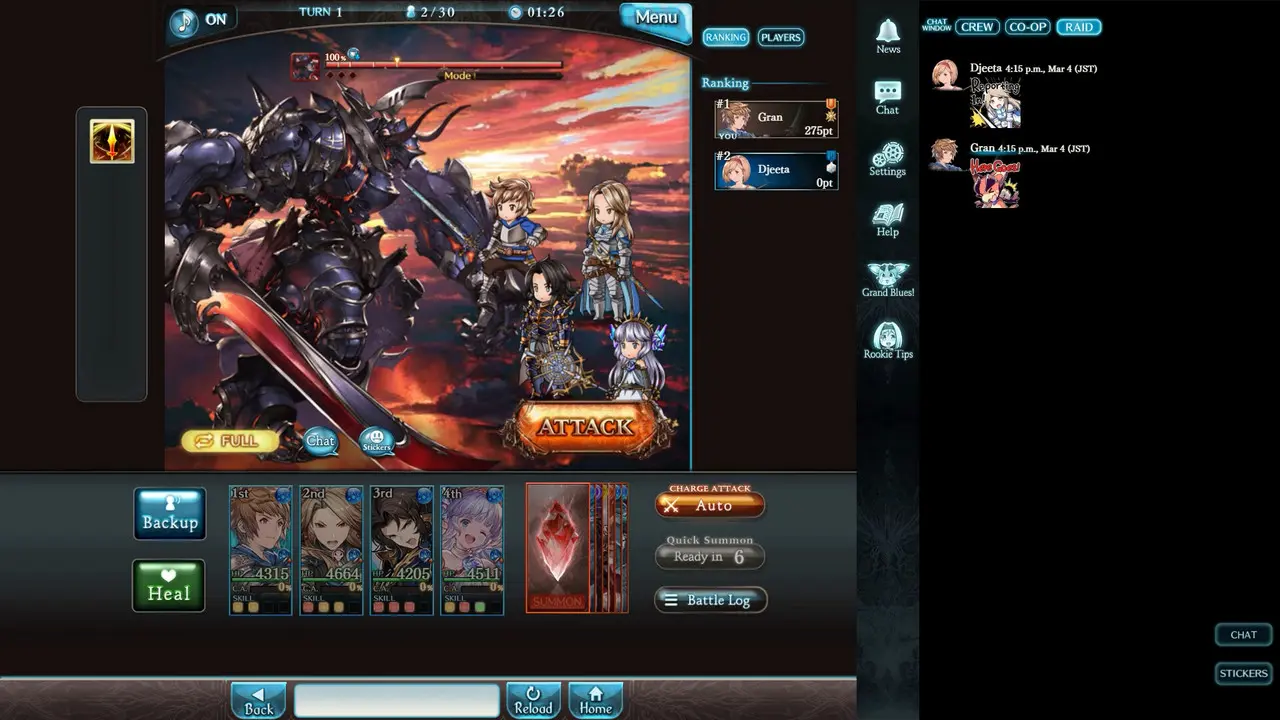
Before playing the Steam version of Granblue Fantasy, you have to know a few things to make your playing experience better.
The game is available for the rest of the world except Japan. To play on the Steam version, you have to log in with a Cygames ID.
You cannot log in with a preexisting Granblue Fantasy account on Mobage, GREE, DMM, and Yahoo!. There is no way for you to transfer data accounts between Cygames ID and the aforementioned accounts and vice versa.
To commemorate Granblue Fantasy’s Steam version launch, Cygames is holding a giveaway event where players are eligible to obtain 1 Steam Deck OLED 1 TB and 10 acrylic keychain sets. Details about the giveaway can be read here.